The BIMI Analyzer Is Live — Our Free Analyzer Suite Is Now Complete
Email authentication has four layers that matter: SPF, DKIM, DMARC, and — once DMARC is actually enforced — BIMI. Until now, our free tools covered the first three. Today we're closing that gap with a BIMI Analyzer, which means every layer a domain owner needs to check now has a dedicated, free, no-signup tool.
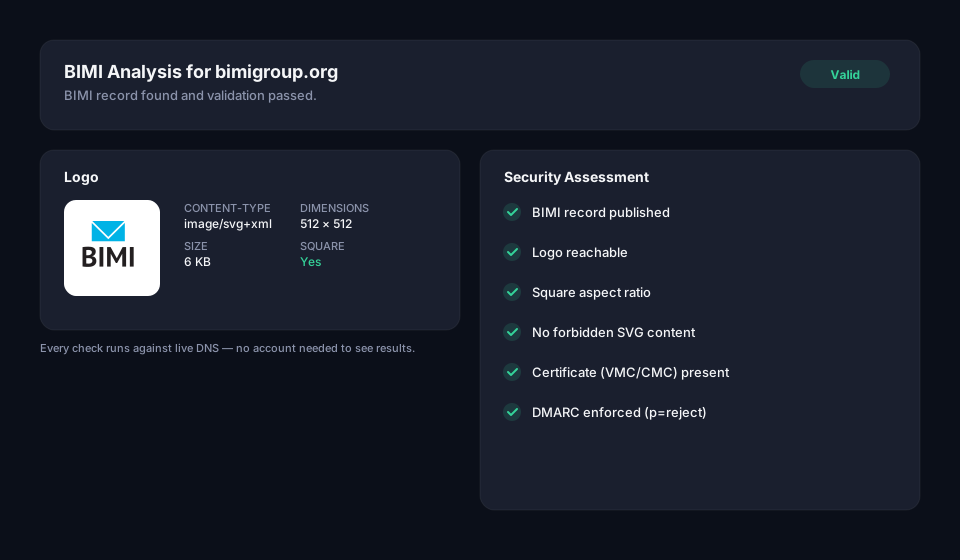 Logo shown: BIMI Group's own mark, used here to illustrate a passing result.
The complete analyzer suite
- Domain Scanner — a full-domain overview: SPF, DMARC, MTA-STS and TLS-RPT in one scan, with an overall risk score.
- SPF Analyzer — resolves your SPF record, counts DNS lookups against the 10-lookup ceiling, and identifies known email providers in your includes.
- DMARC Analyzer — parses every tag, checks DKIM/SPF alignment mode, and flags deprecated tags like
pct=. - BIMI Analyzer — new today. Checks your BIMI record, previews the actual logo, validates the SVG, and confirms whether your VMC and DMARC enforcement actually clear the bar mailbox providers require.
Each one works the same way: enter a domain, get a real DNS-backed result in seconds. No account, no email required to see the results.
What the BIMI Analyzer actually checks
A BIMI record can be syntactically perfect and still show nothing in anyone's inbox — that's what makes BIMI different from SPF or DMARC to diagnose. A missing space in an SPF record breaks obviously; a BIMI setup can fail silently in half a dozen different ways. The analyzer checks all of them in one pass:
- Is the record published at
default._bimi.yourdomain.com, and is it well-formed - Is the logo reachable, served as
image/svg+xml, and does it render — you see an actual preview of it, not just a checkmark - Is the logo square — BIMI requires a 1:1 aspect ratio, and a rectangular wordmark will silently fail even with everything else correct
- Does the SVG meet BIMI's restricted profile — no
<script>tags, no embedded raster images, no external references, all of which a general-purpose SVG export from most design tools will fail on the first try - Is a VMC configured, and does the certificate URL actually resolve
- Is DMARC enforced —
p=quarantineorp=reject— since a BIMI record published againstp=noneis valid DNS and functionally invisible
That last check is the one most homegrown validators skip, because it means looking up a second DNS record and cross-referencing it. It's usually the actual reason a "correctly configured" BIMI record shows nothing — see What is BIMI? for the full explanation of why that dependency exists, or What is DMARC? if enforcement itself is the part you haven't gotten to yet.
Try it
Run your domain through the BIMI Analyzer. If DMARC isn't enforced yet, start with the DMARC Analyzer to see exactly where your policy stands today — or skip the manual DNS work entirely with Hosted BIMI.
Frequently asked questions
Why would a BIMI record be valid DNS but still show no logo in the inbox?
Because DNS validity and BIMI's actual display requirements are two separate checks, and most validators only test the first. A record can be syntactically perfect — correctly formatted, pointing at a reachable file — and still fail on any of half a dozen display-specific rules: the logo isn't square, the SVG contains a forbidden <script> tag or embedded raster image left over from a general-purpose design tool export, or DMARC underneath the domain isn't actually enforced. Any one of those causes the logo to silently not appear, with nothing in the DNS record itself indicating a problem.
Does BIMI require DMARC to be at p=reject, or is p=quarantine enough?
Either enforcement level works — p=quarantine or p=reject both satisfy BIMI's requirement, since the point is that failing mail is actually being acted on, not just monitored. A BIMI record published against a domain still sitting at p=none is valid DNS and functionally invisible, because mailbox providers only display a verified logo once they can see the domain is actually rejecting or quarantining unauthenticated mail, not just reporting on it.
Why does a BIMI logo need to be square when most company logos aren't?
BIMI's SVG Tiny Portable/Secure profile requires a 1:1 aspect ratio because mailbox provider inboxes render the logo inside a fixed circular or square avatar slot, the same UI space used for a sender's profile photo — a rectangular wordmark simply doesn't fit that slot and gets rejected rather than stretched or cropped. This is why a company's normal rectangular logo usually needs a separate square mark created specifically for BIMI, rather than reusing the wordmark from the website header.